Key Terms
- Docker Container
- Docker Image
- Monolith
- Microservice
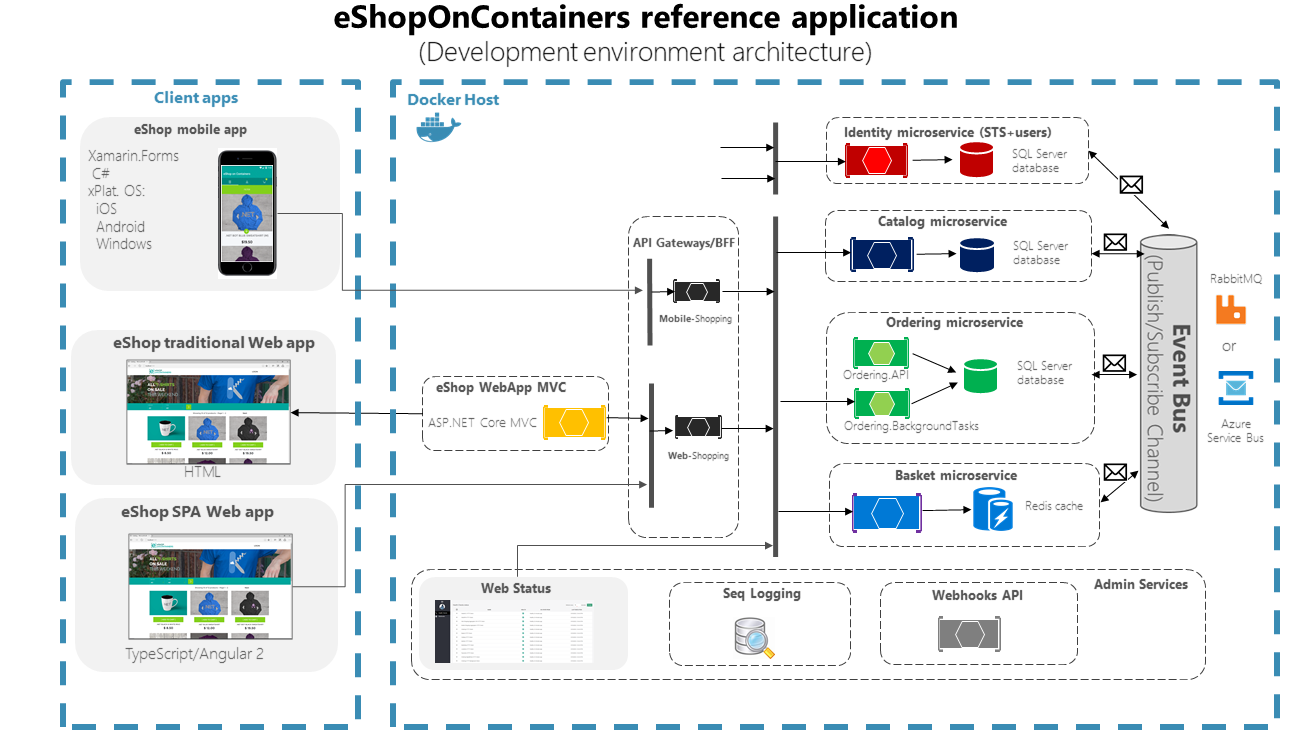
- reference for microservice application
Installing docker
- windows
winget install --id=Docker.DockerDesktop -e
- mac
brew install --cask docker
-
create account in docker hubc
-
Conventions:
- Docker images
- official images: application (
: ) - Example
nginx,memcached
- Example
- verified publishers/sponsered oss
<org>/<image>:<tag>jenkins/jenkins:jdk21
- Private image:
<dockerusername>/<image>:<tag>shaikkhajaibrahim/openmrs:latest
- official images: application (
- Docker images
Lets try running mysql database inside a docker container
- image:
mysql:9 - to view local images
docker image lsordocker images - To download image into your system
docker pull mysql:9ordocker image pull mysql:9

- To delete the image
docker rmi mysql:9 - To create a container
docker run --name mysqldb -p 3306:3306 -e MYSQL_ROOT_PASSWORD=admin123 -e MYSQL_DATABASE=learning -e MYSQL_USER=ltpython -e MYSQL_PASSWORD=admin123 -d mysql:9
- To view the containers
docker ps
- To connect ensure you have mysql client
mysql -u root -p
Lets try running postgres database inside a docker container
- image:
postgres:18 - To download the image
docker pull postgres:18 - Exercise